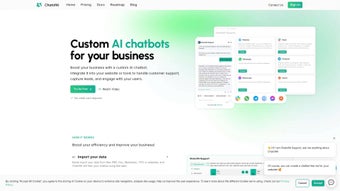

Download ChatofAI – AI Chatbot, Secure Web App, Free Trial Available
What Is ChatofAI? A Quick Overview
ChatofAI is a subscription‑based web application that belongs to the fast‑growing AI Chatbot category. Launched on Softonic on July 8th 2025, the service delivers a conversational AI experience directly through a browser, eliminating the need for heavy desktop installations. Whether you’re a freelancer looking for a quick content‑generation assistant, a small business needing instant customer‑support replies, or a developer experimenting with prompt engineering, ChatofAI aims to provide a responsive, secure, and constantly updated chatbot environment.
The platform is built on a modern cloud infrastructure, meaning every interaction benefits from the latest language‑model improvements without you having to manually download updates. It also includes a set of privacy controls that let you decide how much of your conversation data is stored for training purposes. Because it runs entirely in the browser, you can access it from any device that supports mainstream browsers such as Internet Explorer, Firefox, Opera, Safari, and Chrome.
One of the standout aspects of ChatofAI is its subscription model, which offers a free tier for limited daily usage and a paid tier that unlocks higher request limits, priority processing, and advanced customization options like custom prompts and API integration. This structure makes the tool approachable for beginners while still scaling to meet the demands of power users. The combination of zero‑install access, strong security, and a generous free tier makes ChatofAI a compelling entry point for anyone interested in leveraging conversational AI without the overhead of traditional software.
Key Features, Compatibility, and Real‑World Benefits
- Multi‑Browser Compatibility: Works seamlessly on IE, Firefox, Opera, Safari, and Chrome.
- Live Prompt Engineering: Adjust prompts on the fly to fine‑tune responses.
- Contextual Memory: Retains conversation context for up to 20 turns, improving relevance.
- Customizable Output Formats: Generate plain text, markdown, HTML, or JSON directly.
- Secure Data Handling: End‑to‑end encryption for all chats; optional data retention.
- API Access for Developers: RESTful endpoints let you embed the chatbot into your own apps.
- Free Tier & Flexible Pricing: Unlimited trials, pay‑as‑you‑go, and enterprise plans.
- Regular Model Updates: Automatic upgrades to the latest AI models without user intervention.
- Multilingual Support: Converses fluently in over 30 languages, with automatic detection.
- Integrated Knowledge Base: Upload documents or CSV files for the bot to reference during chats.
Beyond the raw feature list, ChatofAI’s design philosophy centers on usability. Marketers can generate ready‑to‑publish copy in markdown or HTML with a single click, while developers can call the API to power internal ticketing systems. The “Customizable Output Formats” feature eliminates the need for post‑processing, saving time and reducing errors. For teams that work in multiple languages, the multilingual engine automatically detects the input language and replies accordingly, making global collaboration smoother.
Supported Browsers & Platforms
ChatofAI runs on any modern web browser that supports JavaScript and WebSockets. Officially supported browsers include Internet Explorer 11 (with limited features), the latest versions of Mozilla Firefox, Google Chrome, Apple Safari (macOS 12+), and Opera. The service is fully responsive, adapting to desktop, tablet, and mobile screens without loss of functionality. Mobile users enjoy a compact layout that still provides prompt engineering, document upload, and API key management.
Pros
- Instant access—no downloads or installations required.
- Cross‑browser compatibility ensures you can work from any device.
- Secure TLS 1.3 encryption and GDPR‑compliant data handling.
- Free tier lets you evaluate the AI before committing financially.
- Rich feature set (custom outputs, multilingual support, API access).
- Automatic model updates keep the AI state‑of‑the‑art.
- Developer‑friendly documentation and SDK examples.
Cons
- Internet connection required; offline usage is not possible.
- Limited functionality on older browsers (e.g., IE 11 lacks some advanced UI features).
- Free tier caps daily messages, which may be restrictive for heavy users.
- Subscription cost can be higher than competing AI chat services for enterprise plans.
Overall, the feature matrix and compatibility choices make ChatofAI a versatile tool for both casual users and technical teams. The pros far outweigh the cons for anyone who values security, cross‑device accessibility, and continuous AI improvements without the headache of manual updates.
How to Install and Start Using ChatofAI
Because ChatofAI is a web‑based service, there is no traditional “installation” process. Getting started is as simple as creating an account and signing in from any supported browser. Follow these steps for a smooth onboarding experience:
- Visit the Official Site: Navigate to chatofai.com and click the “Sign Up” button.
- Create Your Account: Provide a valid email address, set a strong password, and verify your email through the link sent to your inbox.
- Select a Plan: Choose between the free tier (up to 50 messages per day) or a paid subscription that matches your usage needs.
- Configure Security Settings: In the dashboard, decide whether you want to retain conversation logs for future reference or enable the “no‑store” mode for maximum privacy.
- Start a New Chat: From the main interface, click “New Conversation,” type a prompt, and watch the AI generate a response within seconds.
- Explore Advanced Options: Use the sidebar to upload documents, switch output formats, or activate the API key for programmatic access.
For power users, the API Integration section provides step‑by‑step guidance on generating an API token, setting request headers, and handling rate limits. The documentation includes sample cURL commands and SDK snippets for JavaScript, Python, and Ruby, making it easy to embed ChatofAI into existing workflows.
While there is no software to download, the platform does offer a “Desktop Shortcut” feature for Chrome and Edge. By clicking the “Add to Desktop” button, a progressive web app (PWA) shortcut is created, giving you a native‑like experience without sacrificing the cloud‑based update benefits.
The onboarding process typically takes less than five minutes, and the intuitive UI requires no technical background. If you ever encounter issues, the help center includes a searchable knowledge base and live chat support for premium members, ensuring you can get back to productive conversations quickly.
Frequently Asked Questions & Final Thoughts
Is ChatofAI really free to try?
Yes. The platform offers a free tier that includes up to 50 messages per day, basic prompt capabilities, and access to the standard AI model. You can upgrade at any time to remove limits and unlock premium features.
Can I use ChatofAI on mobile devices?
Absolutely. The web app is fully responsive and works on iOS Safari and Android Chrome. All core functionalities, including document uploads and API key generation, are accessible from a mobile browser.
How does ChatofAI protect my data?
All traffic between your browser and ChatofAI’s servers is encrypted with TLS 1.3. The platform adheres to GDPR and CCPA standards, and you can opt‑out of conversation logging if you prefer that no data be stored after the session ends.
Do I need any special hardware to run ChatofAI?
No special hardware is required. Since the AI processing happens in the cloud, any device capable of running a modern web browser can access ChatofAI. A stable internet connection is the only prerequisite.
Is there an API for integrating ChatofAI into my own software?
Yes. Paid subscribers receive an API key that unlocks RESTful endpoints. The documentation includes examples for sending prompts, receiving structured responses, and handling authentication.
In a market saturated with desktop‑only AI tools, ChatofAI stands out by offering a truly web‑centric, subscription‑based experience that balances ease of use with powerful customization. Whether you need a quick brainstorming partner, a multilingual customer‑service assistant, or a developer‑ready API, the platform covers all bases while keeping your data secure and your workflow uninterrupted.
Because updates are handled server‑side, you’ll always benefit from the latest language‑model improvements without manual patches. The free tier provides enough usage to test the waters, and the tiered pricing structure scales smoothly as your needs grow. If you value cross‑device accessibility, strong privacy controls, and a feature‑rich chatbot that can be embedded into other software, ChatofAI is worth a serious look.
Ready to see how AI can boost your productivity? Sign up for a free account today, explore the free tier, and decide if the premium features align with your goals. With a simple browser‑based interface and transparent pricing, there’s little risk and plenty of reward. Give ChatofAI a try and join the growing community of users who are already leveraging conversational AI to save time, generate content, and improve customer engagement.
Overall Rating: 4.5/5
ChatofAI delivers a robust AI chatbot experience without the friction of downloads. Its cross‑browser support, strong security posture, and generous free tier make it a compelling choice for both casual users and professionals. The main drawbacks are the reliance on an internet connection and higher enterprise pricing compared with a few niche competitors.



.png)



